Showing posts with label ASUS. Show all posts

Monday, February 6, 2017

Notebook Review ASUS ZenBook UX510UW

The 15.6-inch laptops are still among the most popular, and even among them is dominated by conservative solutions, but there is a place for interesting patterns. ASUS Company in the framework of the flagship ZenBook lineup unveiled a 15.6-inch laptop Asus Zenbook UX510UW. The device is allocated a relatively low weight, as well as the discrete graphics card. Let’s see, what else can offer this laptop.

CONTENTS OF DELIVERY: ASUS ZENBOOK UX510UW

ASUS has always been famous for its well-bundled notebooks, and especially if we are talking about the models of the upper price segment. ZenBook UX510UW was no exception, with the device can be found carrying case, the adapter with HDMI to VGA, USB 3.0 adapter on the LAN RJ-45, as well as a simple wired mouse.
It is difficult to say how long will these accessories, but they are pleased to find in the kit.

DESIGN: ASUS ZENBOOK UX510UW

Externally UX510UW is made in the style of line with the company’s ZenBook concentric polished lid and ASUS logo in the middle.
Asus Zenbook UX510UW Laptop Review and Test: Battery life and Specs
The basis of the keyboard is made from a single piece of aluminum, which is mounted on the lower part of the screw. Keys at the same time slightly recessed into the casing, so as not to come into contact with the screen. The frame around the latter has a medium size and is made of matte plastic. Overall, the ASUS ZenBook UX510UW looks good, the designers used simple shapes while maintaining style Zenbook line.
In addition, it is important to note the quality and performance. Metal sufficiently tight around the keyboard, not to push for, and the same applies to the display unit. The build quality is also excellent, all the elements fit tightly. Hinge well captures the screen in any position, so open it with one hand will not work.
Dimensions ZenBook UX510UW up 382x255x19,9 mm, and weight – 2 kg. And if the housing dimensions can be called a standard, the weight of 2 kg and less occurs in a relatively small number of models. This allows us to call the ASUS portable solution that can be without any problems every day to carry in a backpack.

CONNECTORS: ASUS ZENBOOK UX510UW

The tendency to reduce the number of connectors, fortunately, walked ASUS ZenBook UX510UW side. Therefore, on the right side of his body, users can find an HDMI port, two USB 3.0 ports, and one USB Type-C.
Asus Zenbook UX510UW Laptop Review and Test: Battery life and Specs
The left side is a Kensington Security Slot, two ports USB 2.0, 3,5 mm headphone jack, as well as a card reader for SD cards.
The latter, unfortunately, is also USB 2.0 standard, therefore, can not provide high-speed reading and writing of information that can be critical for those involved in shooting photos and videos.

DISPLAY: ASUS ZENBOOK UX510UW

The ASUS ZenBook UX510UW, came to us to the test, was set matte IPS-display with a resolution of 1920×1080 pixels. This model also has a version with 4K resolution, however, and Full HD is enough for comfortable work.
Asus Zenbook UX510UW Laptop Review and Test: Battery life and Specs
By itself, the screen has good viewing angles, according to our measurements its maximum brightness is 274 cd / m2, and the minimum – 14.5 cd / m2. The laptop has a light sensor so the display brightness can be adjusted automatically. The picture quality is very good, the screen provides a virtually 100% coverage of the sRGB color space, in this case, it is quite “warm” color temperature is 5500K in the level. This is also well illustrated by the sagging blue color in the RGB levels.
For professional work with the color display would be worth more to calibrate, but for the average user nuances calibration will not be critical.

PLATFORM AND PERFORMANCE: ASUS ZENBOOK UX510UW

In the test, ASUS ZenBook UX510UW was established 14-nm 2-core processor Intel Core i5-7200U, clocked at 2.5 GHz (3.1 GHz in Turbo Boost mode). Also, the laptop uses 12 GB of DDR4-2133, SSD RAM, and 256 GB hard drive 1 TB.
System performance is at an excellent level, which is also confirmed by the synthetic tests. In PCMark 8 Home 3.0 laptop gaining 3078 points.
SSD read speed reaches to 559 MB / s, and the recording – 272 MB / sec. This is an average result, but it is enough to quickly launch programs and files.
Asus Zenbook UX510UW Laptop Review and Test: Battery life and Specs
The hard drive is not as fast, its standard speed to 5400 rev / m, though he compensates for this 1TB.
For graphics processing ZenBook UX510UW responsible discrete graphics card NVIDIA GeForce GTX 960 with 2 GB of memory. In addition, when the notebook is running on battery power, it switches on the built-in Intel HD adapter Graphics 620. As for the digital video, today it can be called out of date, since the output at the end of last year, video cards GeForce GTX 10xx. Therefore UX510UW would like to see graphics GeForce GTX 1050, which would bring the laptop to gaming solutions. But, apparently, in the ASUS did not want to raise the value of the model, leaving the more powerful and expensive graphics card for ZenBook Pro line, the new devices that we probably will see this year.
As for the NVIDIA GeForce GTX 960 with 2 GB, it is well known to us card, built on 28-nanometer process technology. It delivers the performance, which will be enough to play modern games at medium and minimum settings. I tried to run on a laptop Fallout 4 and “The Witcher 3” in Full HD resolution and at medium settings, they showed 28-30 FPS, but at minimum 31-34 FPS. If you play the less demanding graphics games, for example, in Civilization VI, it can be done comfortably and at medium graphics settings. Accordingly, the performance of GeForce GTX 960 will be enough for video editing.
In the test 3DMark Fire Strike 1.1 video card gains 3477 points, and Sky Diver 1.0 – 10040 points.

HEAT AND NOISE: ASUS ZENBOOK UX510UW

Enough performance configuration ZenBook UX510UW could affect the noise level and the heating housing. However, Intel Core i5-7200U was quite “cold” in its stress test system temperature does not rise above 60 degrees Celsius, respectively, no throttling is also observed.
Asus Zenbook UX510UW Laptop Review and Test: Battery life and Specs
We should also praise the cooling system during normal office work it can not be heard, and even while playing laptop noise within the normal range and does not irritate. The area around the keyboard at high load remains cold.

KEYBOARD AND TOUCHPAD: ASUS ZENBOOK UX510UW

ASUS ZenBook UX510UW equipped with keyboard island type, while it is full-length with a numeric keypad. The keys are at a sufficient distance from each other and are pressed with a well-defined way. Typing on this keyboard is very nice.
Asus Zenbook UX510UW Laptop Review and Test: Battery life and Specs
Backlit keyboard UX510UW has three degrees of brightness, and even at the maximum to her to work comfortably in the dark.
The touchpad in the laptop has a standard size and slightly offset to the left, to be the main center of the keyboard. It works well, there is support for the simultaneous detection of several touches, and gestures.

MULTIMEDIA: ASUS ZENBOOK UX510UW

On the notebook chassis, you can find the inscription Harman Kardon, but the sound is played through two small speakers on the underside of the housing.
It is difficult to say what exactly corresponds to the inscription Harman Kardon, but the external sound from a laptop is absolutely normal, it does not stand out either in volume or volume. The headphones sound good, and what you expect from the Realtek High Definition Audio Driver, at the same time it should be noted the excellent stock volume already on averages it seems redundant.

AUTONOMY: ASUS ZENBOOK UX510UW

ASUS ZenBook UX510UW set 3-cell battery with 48 watt-hours, which is enough for 6-7 hours of office work with automatic adjustment of screen brightness. In the test of autonomy PC Mark 8, Home 3.0 with 200 cd / m2 brightness display under load the notebook lasted almost 4 hours.
Asus Zenbook UX510UW Laptop Review and Test: Battery life and Specs
Charging UX510UW from a major power supply of 120 watts, which is caused by the use of a discrete graphics card.
A full charge takes about 2 hours.
PROS of Asus Zenbook UX510UW: package, nice design and materials, relatively low weight, good display with a matte finish, high performance, the SSD 256 GB discrete graphics, good cooling system, comfortable keyboard and touchpad
CONS of Asus Zenbook UX510UW: Card reader USB 2.0, instead of the GeForce GTX 960 graphics would like to see the 1050 GTX

CONCLUSION: ASUS ZENBOOK UX510UW

Asus Zenbook UX510UW – is relatively thin and lightweight 15.6-inch laptop with a nice body design and quality materials. On the model should pay attention to if you are looking for a mobile computer with a large screen and good performance, which will not only allow you to work comfortably, but sometimes even to play modern games.


Title: Notebook Review ASUS ZenBook UX510UW
Updated: 2017-02-05
Author: Dan Green

Friday, January 27, 2017

New generation of ASUS ZenFone 4 (2017) debuted in May of this year

ASUS is preparing a new generation of ASUS ZenFone 4 (2017). According to insiders, smartphones present at the end of May this year. Planned circulation of 20 million handsets. And this is not including the current line ZenFone 3 devices.

ASUS ZENFONE 4 (2017): PERFORMANCE

It is reported that ASUS ZenFone 4 (2017) will be presented in several variants, covering both the middle and upper price segments. In particular, the flagship smartphone Qualcomm Snapdragon 835 chipset will be released.
New generation of ASUS ZenFone 4 (2017) release date in May this year
In general, we can conclude that he did at Asustek Computer are much better than the other well-known manufacturer of smartphones with the island of Taiwan – HTC. If last year, experts predict a second exit from the market, the ASUS quite strong “on its feet”.

ASUS ZENFONE 4 (2017): SPECIFICATION

Announced in early January ZenFone Zoom 3 immediately gained the status of an ideal camera phone through a combination of affordable prices than its competitors and a double main camera with optical zoom.
Little became a sensation smartphone ZenFone AR is on the top-end Snapdragon 821, which combined the support of two additional platforms and virtual reality – Google Daydream and Project Tango. This unit is also unique in that it has a triple (!) Camera ASUS TriCam.
New generation of ASUS ZenFone 4 (2017) release date in May this year
The latter is a combination of the main Sony IMX318 sensor with a resolution of 23 megapixels, the lens module with “fish-eye” to scan the depths of the surrounding space, and motion tracking module. This solution allows maximum natural place objects more reality.

ASUS ZENFONE 4 (2017): RELEASE DATE

In general, in an environment where the smartphone market is clearly marking time, the ASUS actively looking for original ways to attract a buyer.
Source: Ubergizmo


Title: New generation of ASUS ZenFone 4 (2017) debuted in May of this year
Updated: 2017-01-25
Author: Dan Green

Thursday, January 7, 2016

ASUS X555DG Review: Rational Choice

One of these models will be considered in the review. Does it to the primary level? Probably not. On the one hand, ASUS X555DG review runs on top processors AMD FX-8800P, responsible for calculating the two graphics card. On the other – the notebook has a mediocre display of traditional interfaces. Let’s see how the price tags of around $ 700, and meet the expectations of customers?
Despite the fact that laptops ASUS X refers to the budget segment, they can be successfully used not only in the work when performing routine office tasks. For example, such devices often help out at your leisure when you want to play or watch a video. Yes, perhaps this is not the option that is able to surprise the demanding user, but the fact that the X-series notebooks, tend to have an appropriate opportunity cost and a fairly good functionality, but expands the audience of their fans.

Design: ASUS X555DG review

The laptop ASUS X555DG review is made of plastic. The entire surface is devoid of gloss and matte panel practically do not collect fingerprints. Even if they appear, then quickly erased cloth. It should be noted that the design of the notebook a bit revives colors: black on top and bottom, and silver – on a work surface. As regards the form, the ASUS X555DG review looks only half a strict, perhaps because of the aerodynamics and rounded corners. And the presence of the lid only ASUS logo gives the device to look more advantageous than it actually is.
ASUS X555DG Review
The bottom of the notebook ASUS X555DG review does not look loaded. Here you can see a small vent, thin speaker grilles, bay hides RAM module, as well as the legs, due to which the laptop will surely be on the table. With regard to the work area, then it is a keyboard with touchpad. Around the display is matte frame. In general, all as expected is nothing extraordinary.
ASUS X555DG Review
Notebook ASUS X555DG review size is 382x256x25 mm is suited to the owner could often take the device with you. Even with the weight will be no problems because it does not exceed 2.2 kg.

Display, sound, webcam: ASUS X555DG review

Definitely laptop ASUS X555DG review display is not his forte. In fact we have a 15.6-inch matte screen with a resolution of 1366×768 pixels. Unfortunately, manufacturers have managed usual TN-matrix, therefore, is not enough to have wide viewing angles used to. In addition, there is a small level of brightness, so working on the street, often has to look closely to the image. The only delight color rendition, as well as the ability to change the display settings using the technology ASUS Splendid.
ASUS X555DG Review
Dynamics was a place on the bottom, so the sound cannot be too loud, as if this would not be desirable. At the same time no distortion even at high. If we talk about support for proprietary technology SonicMaster, it improves the sound, while the high quality achieved is unlikely to succeed, except with headphones.
The notebook ASUS X555DG review web camera low resolution of 0.3 MP and therefore not issued quality. You can count on it, at best, when dealing into Skype.

Keyboard and Touchpad: ASUS X555DG review

Typing on ASUS X555DG review very comfortable, even if the process takes a large part of the working time. Of course, in the merit of the keyboard, where the keys are easy to press, not only not reduced in size, but rather clearly marked. Incidentally, the surface area available seats gamepad. It appreciated by those who a lot of numeric data. With regard to the switch unit, then it is virtually not compressed, and due to the relatively close location to the other keys, may often occur erroneous pressing. Although, in general, the distance between the buttons on the keypad of the island does not give reason to doubt its convenience.
ASUS X555DG Review
A separate panel with functional keys in a laptop there, above the keyboard provides a switch button. Its location is not likely to interfere with the work. In any case, it is unlikely that there will be wounded [Esc], because it is not too close.
With the touchpad you also should not be a problem. The smooth surface is comfortable keypad for cursor control, and the sensitivity of the sensor contributes to faster execution. Even the mouse buttons, hidden touch zone – not an obstacle, as pressing in certain areas of the touchpad to be recognized in time and will not affect the functionality of the device as a whole. With regard to the multi-touch gestures, you can scale, vertical and horizontal scrolling, as well as dragging and rotating.

Performance: ASUS X555DG review

Components ASUS X555DG review 90NB09A2-M00740 runs on Windows 10 Home 64-bit version, although there are options and preloaded with Windows 8. Filling laptop is equipped with the quad-core processor, the flagship of the sixth generation of AMD – FX-8800P (Carrizo), which was officially launched this summer. The basis of the APU architecture laid Excavator, and indeed, it is perfectly adapted to the new operating system. The clock frequency of 2.1 GHz chip and it can go up to 3.4 GHz. Second-level cache does not exceed 2 MB. The new processor allows you to play video Ultra HD-also use it to decode format H.265. By the way, you can choose a different configuration, which will be installed processor AMD A10-8700P. It is not a top, as the FX-8800P, but has good potential to cope with contemporary challenges.
Integrated graphics card AMD Radeon R7 (Carrizo), built on the 28 nm process and supports DirectX 12, not bad copes with visual computing. Moreover, the task is more difficult always be able to solve the second accelerator Radeon R5 M320, which is built on 28-nanometer technology, and has its own 2 GB of video memory. With it you can even play in the normal undemanding toys.
ASUS X555DG Review
In addition, the notebook ASUS X555DG review is quite a good supply of memory – 8 GB DDR3-1600 MHz standard. Of these, one half soldered on the motherboard, and the second – is in the slot. The manufacturer provides the maximum setting of 12 GB, so that in the coming years, you can work safely. By the way, Winchester also is no questions. It is quite capacious (1 TB), so you do not have to save. The hard drive will be enough space for multimedia collections, important documents and so forth. HDD has a rotation speed of 5400 rpm.

Ports and Communications: ASUS X555DG review

Special diversity among ports and connectors are not observed. Right in the notebook is the optical drive DVD-RW with Double Layer recording, USB 2.0, as well as a card reader SD / SDHC / SDXC and combo audio jack.
But the left side is fuller. She placed two interfaces USB 3.0, VGA, HDMI, and a network connector and socket for recharging a laptop. Also, here you can see a slot for a Kensington lock.
ASUS X555DG Review
A set of wireless modules without changes – Wi-Fi 802.11 b / g / n and Bluetooth 4.0.
As for the indicators, they are grouped site so the user will be their very visible. So, here you can see the LED that displays the work of storage, activation flight mode, the state of charge of the battery. There is also a display of power.

Battery: ASUS X555DG review

ASUS X555DG Review
The battery in the laptop ASUS X555DG review has two sections and capacity of 37 Wh. Just say it is a bit, so count on the autonomy of 2-3 hours is not necessary.

Conclusion: ASUS X555DG review

The user who is looking for a versatile notebook ASUS X555DG reviews. Thus, does not want to put up with overpriced, fit ASUS X555DG review. Definitely, this is not an entry-level device. Yes, it displays a budget with a small by today’s standards a resolution of 1366×768 pixels, the usual 0.3 megapixel webcam. In addition, the laptop battery is unable to provide long-term autonomy. At the same time the laptop is good at different calculations due quad-core FX-8800P from AMD, the two graphics accelerators and 8 GB of RAM. By the way, is another plus – comfortable keyboard, which facilitates the daily work, if you want a lot of typing. So, most likely, each undemanding users will appreciate a model of dignity, especially you can buy ASUS X555DG for $ 700 hardly seems high.
Source: device-boom

Saturday, January 2, 2016

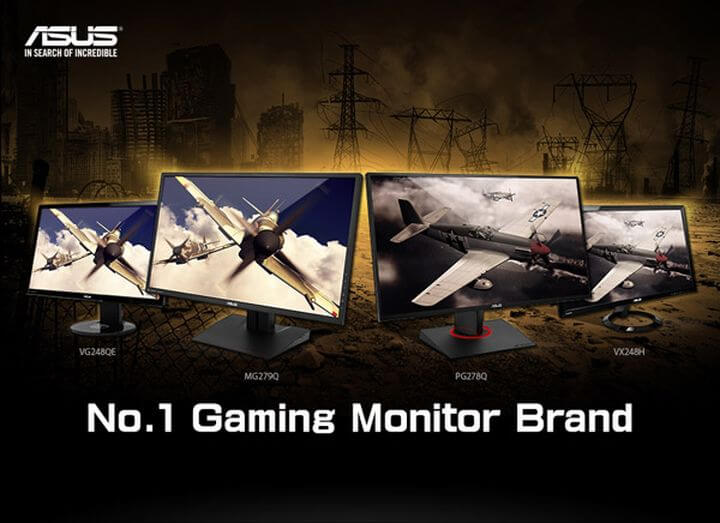
The monitor news Asus owns 40% of the market

Projected volumes of the world’s supply of gaming monitors became available to Digitimes, Taiwan allowed this web resource to announce that the share of the monitor news Asus in this segment at the end of 2015 is likely to be 40%. The forecast concerns only the high-end monitors, which this year will be shipped in the amount of 800 thousand. A large proportion of the brand Asus due to brisk sales of displays relevant class in Europe, North America and the domestic market for Asus Computer of Taiwan.

What is specific the monitor news Asus?

The monitor news Asus owns 40% of the market of gaming monitors
The main competitors in the segment the monitor news Asus gaming monitors, according to the source, is the company Acer, BenQ and ViewSonic. Previously, they did not show much interest in the aforesaid business, but with the increase in demand for gaming, solutions started to produce its own models. In particular, Acer offers 24- and 27-inch monitors series Predator, and BenQ – not only displays a fast response time, but also a variety of peripherals (under the brand name Zowie).
Overall shipments of the monitor news Asus should grow in 2015 by 30%. Next year will also bring an increase of about 10-15%. The new displays for gamers from Asus Computer, including a 34-inch monitor are worth about $ 1,000, will be available in January.
To familiarize is the current range of the monitor news Asus on the official website of the manufacturer.
Source: device-boom

Sunday, December 27, 2015

Smart Watch review ASUS ZenWatch 2

Smart Watch review ASUS has continued to develop a line of wearable electronics, and now it’s time to get acquainted with the second generation of a series of smart watch ZenWatch. In contrast to the first generation that existed in one size, ZenWatch 2 went on sale in two frame sizes, several new colors, and new interchangeable straps. We got acquainted with new products and are willing to share you with my impressions.

Equipment: Smart Watch review ASUS

Despite the fact that the editors visited a pre-sale sample ZenWatch 2, we still had the opportunity to evaluate interesting packaging and packaging hours. All the more this accessory is quite an important point.
Smart Watch review ASUS ZenWatch 2
So watches come in a nice but fairly simple cardboard packaging, no special emotion it does not cause, but on the other hand, we are dealing with the Smart Watch review ASUS is not premium. The packaging is very simple, that just a proprietary charging cable.

Design: Smart Watch review ASUS

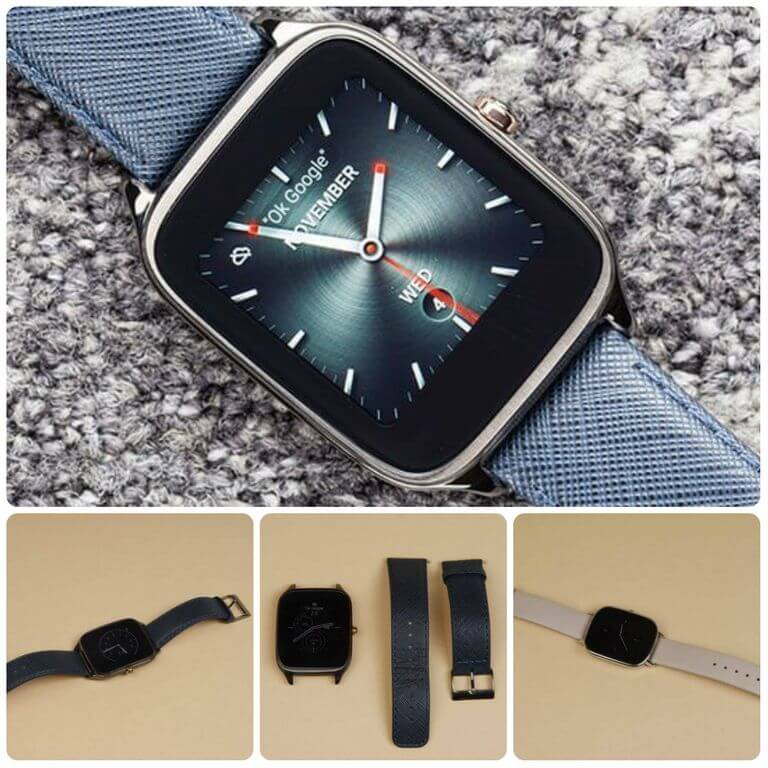
Smart Watch review ASUS ZenWatch 2, there is now two versions – a huge (WI501Q), equipped with a screen diagonal of 1.63 inches and smaller (WI502Q) is a 1.45-inch display. Shells also get different sizes and thickness; the housing lower models get about 1.5 millimeters thicker than the male. Models got a few different design and layout, although the common features in them are reviewed. A smaller model will certainly look so elegant on a female hand, but for men, for the sufficiently huge body suit only holders of a wide wrist. In both cases, the housing is made of stainless steel, the choice of colors available for each of three sizes.
We will not tighten – the design of both Smart Watch review ASUS we liked. As amended visited male model dark color with dark blue strap and women with the unpainted body of the polished and beige strap.
In both Smart Watches review ASUS; the strap is made of genuine leather. Both female and male devices support the possibility of replacing straps.
Smart Watch review ASUS ZenWatch 2
Early on the Computex, 2015 were presented as options with metallic straps. One of the main claims to the first-generation Smart Watch review ASUS was overly broad scope display – here, unfortunately, the situation is similar. The ratio of the Smart Watch review ASUS body size to the display is very conspicuous and somewhat spoils the overall impression of the design. Although the female model looks still quite good.
If you use a dial with a black background contrast somewhat leveled, but when viewing notifications and use other functions of Android Wear this flaw becomes noticeable.

Display: Smart Watch review ASUS

In both models, ZenWatch 2 installed AMOLED-display, various sizes, and resolutions. In the case of a male model, the resolution is 320×320, the female – 280h280. By using this technology, the displays show the excellent level of contrast and deep black color, which is very handy when the already mentioned disadvantages of the design front. Brightness levels, both the minimum and maximum, are at a sufficient level for most situations. Although for testing throughout the day was sufficient minimum level that is good for autonomy. The displays covered with protective 2,5D-glass Corning Gorilla Glass 3, with a very good oleophobic coating. Glass covered with fingerprints easily, but they are just as easily removed.

Equipment: Smart Watch review ASUS

The ASUS ZenWatch 2 is a quad-core Qualcomm Snapdragon processor 400 with a maximum frequency of 1.2 GHz operations. It is complimented by 512 MB of RAM and 4 GB of internal. Any additional funds for the notification of incoming events, in addition to vibration, no hours, there is no built-in speaker. Himself vibration motor is powerful enough to miss any notice is not possible. To enter text or voice commands to the microphone provided Google Now, his sensitivity have no complaints; Of course, in noisy places, next to the road will need to raise your voice and bring the watch close to your mouth. A set of wireless interfaces is represented by Bluetooth 4.1 and Wi-Fi, the latter needs to receive notifications from your smartphone.
Smart Watch review ASUS ZenWatch 2
It can be used to activate the display. The latter is also activated when the lift arm, which is realized at the expense of operation of the accelerometer and gyroscope. These work we had significant claims and is a major hypersensitivity. The display lights up periodically, even when printing text when the user moves the little hand that admits distraction. At the same time, with a gesture to show the standard time watch display periodically just does not ignite.

Autonomy: Smart Watch review ASUS

The main difference between male and female versions of ASUS ZenWatch 2 is to use batteries of different capacities. In the men’s fitted with a battery 400 mAh in the women is 300 mAh. Enough common volumes of batteries for devices are the class with those of autonomy. So by setting ZenWatch 2 “by itself” and went into the rhythm of use of the hours of the day, you can achieve a stable battery life. This was achieved with the minimum brightness of the display turned on Wi-Fi, automatic switching of the display and up to 20 notifications of incoming events per day. The female model showed almost similar battery life. To use your own charging connector ASUS, and to achieve a full charge level requires about one and a half hours when connected to USB 2.0.

Software: Smart Watch review ASUS

Smart Watch review ASUS ZenWatch 2 running the operating system Android Wear. Its features and appearance are already familiar to us on a number of devices, visited the testing. This operating system provides basic capabilities, for example, the withdrawal of the notification, or work with a number of applications. For example, you can navigate in Google Maps, however, for it to be activated GPS in your smartphone. Also still here the familiar Google Fit – counter daily activity, but counting steps are not strong ASUS ZenWatch 2, too many unnecessary movements taken hours per step.
Smart Watch review ASUS ZenWatch 2
To adjust the watch and adjusting the synchronization with a smartphone will be quite standard application Android Wear. List settings are not very large, the application is likely to select dials (although it is possible, and the clock), but if you want to further customize the watch face, or even create your own, you will need firmware application ZenWatch Manager.
Working with Notifications realized traditional Android Wear way. During an incoming call, the user can accept or reject the call by using swipe. When incoming messages in instant messengers, you can read the message and respond to his voice. Voice recognition, Google, has not changed in this case.
The speed of the interface watch is average, there are smooth, but the system lacks responsiveness. By the stability of the software is also a question often appears on the display to stop Android Wear, a few times when trying to see the time watch appeared off when the battery charge is sufficient.

Results: Smart Watch pcmag

Smart Watch review ASUS ZenWatch 2 produced an ambiguous impression. The design of the devices has not undergone fundamental changes, and the lack of previous generation – the broad scope of the display, and migrated here.
Smart Watch review ASUS ZenWatch 2
Although, in fairness, as an accessory ZenWatch 2 look good. Neither autonomy nor the performance was not improved and although these indicator clocks are at the level of other models in its class. In general, a lot will depend on the cost ZenWatch 2 on the European market, if it will be competitive, then this watch definitely find their buyers.

Pros Smart Watch review ASUS:

+ Design
+ Ease of use

Cons Smart Watch review ASUS:

– Wide scope display
– Unstable work on
Source: device-boom

Sunday, October 4, 2015

ASUS ZenPad S 8.0 Review: The First Tablet with 4GB of RAM

ASUS ZenPad S 8.0 – the world’s first tablet with 4GB of RAM. The second will be the Apple iPad Pro, but the huge tablet Apple is not a competitor of a compact 8-inch model ASUS. And then finish metal body under the skin and is the new processor Intel. Powerful new.

Fashionistas will appreciate

The sleek bar design – decoration, reminiscent in appearance to the skin. But if the touch surface, it can be concluded that it is a rubberized material. For it is convenient to grasp the tablet that resembles a woman’s clutch. Association continues to corporate cover-stand, decorated in the same style. It helps set the gadget to your desktop, so it will be easier to watch movies or read. Not just an attribute of a beautiful life.
ASUS ZenPad S 8.0 Review : The First Tablet with 4GB of RAM
The unit decided to make a fashion accessory, as you approach this? We like it all already tired of repetitive clones, nice to meet new idea.
The tablet with 4GB of RAM is very light, it is convenient to take in hand and read a book during a trip on the subway. It weighs less than 300 grams and the thickness of only 6.6 mm. Build quality is excellent, the tablet or bends or breaks force. However, hardly anyone would sit with him in the back pocket of jeans, it’s not a smartphone. Angles maximum smoothed sides and ends, too, with no sharp lines. Ergonomics is well thought out, the device can be controlled with one hand, and the two, depending on the task.
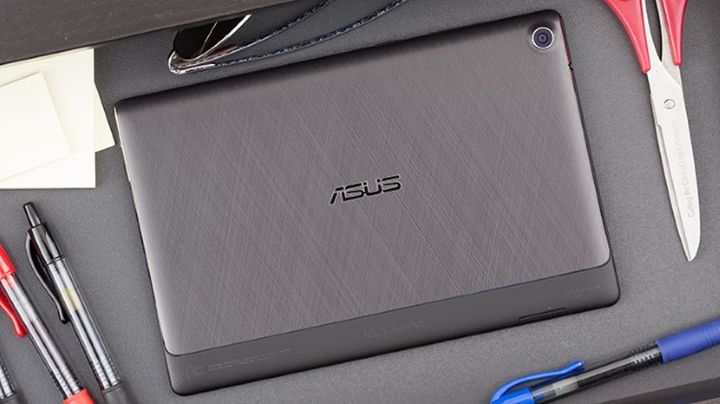
Almost the entire rear of the closed metal plate, decorated with a pattern in the style of large tablets or laptops ASUS. The fascia speakers are sent directly to the user when he holds in front of the plate.
The sound is loud, but there is no bass at all, then do not listen to dubstep.

The most powerful  tablet with 4GB of RAM

The heart of the tablet with 4GB of RAM ASUS ZenPad S 8.0 – its processor Intel Z3580 with 2.3 GHz and 4 GB of RAM. 16 GB of internal memory, due to the additional slots can be installed even 128GB. “Stuffing” is similar to that in the smartphone ASUS Zenfone 2, it is not surprising that in the benchmark model beats out very good results.
ASUS ZenPad S 8.0 Review : The First Tablet with 4GB of RAM
This power allows you to play any games on the highest graphics settings, gamers will like it.
And why not make a thicker body, his here more capacious battery? But functionality is sacrificed design. It’s a pity. During the game heats the upper part of the plate, but still you can play, there is no discomfort. However, the brightness of the screen may be “blown away” from 100% to 50%, automation works strangely.
The tablet with 4GB of RAM is designed for entertainment, so let’s see how it works in different modes. Games will put the battery for 3.5-4 hours, and watching videos in Full HD at maximum brightness – 6 with no more. Not to say that it is very little, but not very much, the average results by the standards of the class. Comparable to the Xperia Z3 Tablet Compact. But if you buy a tablet with 4GB of RAM for watching videos, then choose the best Samsung Galaxy Tab S 8.4, it works longer in this mode. The same can be said about the iPad mini 2 or 3.
ASUS ZenPad S 8.0 Review : The First Tablet with 4GB of RAM
The main body of two connectors: a port for a microSD USB type-C. So going on a trip, do not forget to bring your cable, otherwise there will be problems finding suitable. For aesthetes, the real blow will shift to the right USB-port. The data can be transmitted wirelessly by Bluetooth 4.1 and Wi-Fi 802.11ac.

A clear picture

Frames have a large tablet with 4GB of RAM, but otherwise I would have problems with the management: no place to stretch your fingers, there are false positives. This could be avoided with the little aesthetic loss. Display 8-inch diagonal and a resolution of 2048×1536 pixels. Dot density is comparable to the iPad mini, where the retina screen, or compact tablet Samsung. Display good oleophobic coating, then remove fingerprints easy 10-point sensor is working properly.
ZenUI looks not in the spirit of the canons of material design. Although the shell is decorated in minimalist style, it works quickly and smoothly. So if you do not find fault with the clearance of other observations to her there. The tablet provides a convenient feature. With the installation of new software applications themselves are sent to a specific folder.
ASUS ZenPad S 8.0 Review : The First Tablet with 4GB of RAM
Put the race, the application goes to the games section, bought a new video player, he gets in a section of media. And so on. Unusual and convenient option.
It is practical because it allows you not to waste time on manual sorting applications in the menu. However, if you do not like the automation, this option can not enjoy.

Quite simple camera

Cameras here without frills. The 5-megapixel module is suitable for self in the street, and the main 8-megapixel sensor will make a copy of a document or a photo of acceptable quality. But it is advisable to take something static, because with children running around shooting autofocus can not cope.
Even a day in the pictures a lot of noises, not to mention the subjects are taken at night or indoors.
ASUS ZenPad S 8.0 Review : The First Tablet with 4GB of RAM
The package included accessory feather Z Stylus. It helps to take handwritten notes, draw, control tablet. If you wish, you can enter text stroke or cut the desired areas. The slim space for the stylus is not found, so it can be mounted on the cover. Def need to buy separately.
The most important features of ASUS ZenPad S 8.0 – a powerful platform Intel, the just tablet with 4GB of RAM (more is no one) and a beautiful body. Metal, clearance under the skin, design accessories – tablet looks stylish. Praised the model of a high-quality screen, thin and lightweight design, good thickness at this time of the performance. Quarreled over the lack of support for LTE: calls, receive SMS tablet can not. The quality of the speakers is also not very high, we expected more.

Verdict

The price ASUS ZenPad S 8.0 is 390 US. The main competitor – iPad mini 3 version of 16 GB of memory costs about 360 US, but the iPad mini 4 is already on 495 US – large overpayment for nearly an improved processor. From compact version for Android about the same price, the group will be called Sony Xperia Z4 Tablet and Samsung Galaxy Tab S 8.4. Plus. Sony – protection against water, but only a screen resolution Full HD. At an economical tablet Samsung Super AMOLED screen, but the plastic housing.